TL; DR
Outbound lead generation means contacting businesses that may need what you offer. Before you reach out, know why your offer could matter to them and what you’re asking them to do next.
This article covers seven steps, from choosing prospects to measuring sales opportunities. It also looks at how Interactive Content can help people learn about your business before booking a call.
You have their contact details. What’s your reason to reach out?
You’ve put together a prospect list. You know who you want to contact and where they work. Now you have to write a message they’d actually want to receive.
What would make it worth their time?
In a survey of 632 B2B buyers, Gartner found that 73% actively avoid suppliers that send irrelevant outreach.
There’s also the question of what you ask for. Gartner reported in May 2026 that 67% of B2B buyers prefer a buying experience without a sales representative, although buyers still turn to salespeople for help with decisions.
A meeting might be more than someone wants to commit to when they’ve only just heard from you. Sharing a resource that addresses something they’re working on gives them a chance to learn more first. They can explore it when they have time and come back with questions.
So how do you build an outbound lead generation campaign around that?
What is outbound lead generation?
Outbound lead generation involves contacting potential customers to introduce your product or service and find out whether they need it. Emails. Phone calls. And direct messages are common ways to make that first approach.
Your team selects prospects based on the kinds of customers you can help. A workflow software company, for example, might contact operations managers at businesses opening new locations. Its software could help those managers coordinate approvals across teams.
You still need to find out whether that’s something they’re looking for. Lead qualification helps establish whether a prospect has a need your business can address.
Outbound vs. inbound lead generation
The main difference is who starts the interaction.
With inbound lead generation, someone finds your business through search. Social content or a webinar. They might then download a guide or request a demo.
With outbound, your team contacts someone it has identified as a potential customer.
The two can work together. A guide on your website could attract people through search and also be worth sharing with prospects by email.
Both approaches can form part of your sales lead generation strategy.
Seven steps to start better sales conversations
Before you start writing emails, spend some time on who you’re contacting and why. In fact, those decisions will influence the message. The content you share and your follow-up.
1. Define who you can help
Start with the customers who get the most out of your product. What do they have in common?
Consider their industry. Company size. And the problems they came to you with. Then look at the people involved. Who uses your product, and who usually approves the purchase?
Work with sales to agree on which accounts to pursue. This gives you a basis for building the prospect list and choosing whom to contact within each company.
Curious how Dot.vu can help with your outbound lead generation? Get in touch with our team to discuss what you’d like to create and how you could use it in your outreach.
2. Find a relevant reason to reach out
Why might this person care now?
Has the company announced an expansion or launched a product? Look for a connection between that update and what you can help with.
A brief look at the company’s website and recent announcements may be enough to identify a reason to contact them. You can then ask whether the issue you have in mind is something they’re working on.
Treat that as a question. The prospect knows more about their situation than you can learn from an announcement.
3. Offer something useful
What could you send someone before asking them to book a call?
A case study might show how you’ve helped a business with a similar problem. A checklist could help them review a process. You could also share an Interactive Presentation so they can take a closer look at your product.
When you introduce the resource, explain what it covers. That way, they can decide whether to open it. This is especially helpful if they’re unfamiliar with your business.
4. Write an opening that earns a reply
Start with why you’re getting in touch. The research you’ve done should help you explain that in a sentence or two.
Next, explain what you’re offering and how it could help them. Keep the company introduction brief. For now, they just need to understand why you’re getting in touch.
Then end with a question that’s easy to answer. You could ask if they’re working on this issue. Or ask whether they’d like to see the resource.
5. Follow up with a reason to continue
A follow-up is a chance to explain something you didn’t cover in the first message. You could answer a common question about your product or share a resource on the same topic.
If someone has replied, their response should guide what you send. They may have asked about a feature, mentioned a concern, or said they’re planning for later in the year.
A link click alone gives you much less to work with. It doesn’t confirm a need or an intention to buy.
When someone says the timing is wrong, ask if they’d like you to reconnect later. If they decline further contact, respect their decision.
6. Use lead qualification to guide the next step
Once someone replies, find out more about what they need. Then, consider whether your product could help.
You’ll usually want to understand:
- The problem they want to solve.
- How much of a priority it is.
- Who would be involved in choosing a solution.
- Their timeframe and any budget requirements.
You don’t need to cover everything in the first conversation. Start by asking what they want to achieve. Their answer may give you enough to recommend a resource. Or you may need another conversation to explore their needs.
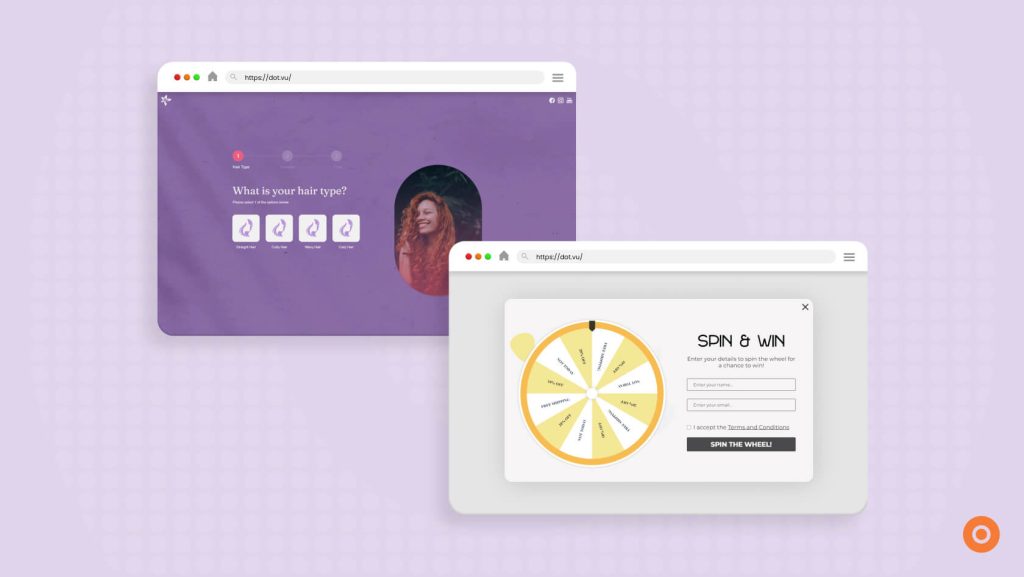
If they’ve already answered questions in an Interactive Experience, start there. Ask about any answers you’d like them to explain further.
On your lead capture form, explain what they’ll receive. Will you email the information, call them, or give them access to a resource? Let them know before they submit.
7. Measure conversations and opportunities
Track how many prospects reply positively. Then look at how many attend meetings and become qualified sales opportunities. Also, record the pipeline value created. Include the time spent and the cost of running the campaign.
Look at each stage on its own. Are people replying but not booking a meeting? Check what you’re asking them to do and how easy it is to book. If you’re meeting with people your product can’t help, go back to how you built your prospect list.
If you’re using an Interactive Content, look at whether your prospects have completed the experience or submitted a question. Those actions can help you assess the content, alongside the sales results.
Want to know how AI can help you create Interactive Content? Read our guide to the AI Interactive Builder.
How Interactive Content can support outbound lead generation?
A prospect may be interested in your message but want more information before booking a call. For example, you can send them an Interactive Presentation that explains your product and how it could help them.
Or use an Interactive Infographic to explain a process. They can click on each section to learn more.
You can also use as an Interactive Video, where they can choose which features or topics to watch.
That way, they can learn more before deciding whether to speak with your team.
Give prospects something to explore more
Start with the questions prospects usually ask before booking a meeting. Could the content you send answer some of them?
Already have a presentation or guide? Start with that. Why not upload it to Dot.vu and make it interactive?
Start your account for free today and try building an experience for your next outreach campaign.