
TL; DR
A blog post can pull in plenty of traffic and still leave sales with very little to work with. Content marketing lead generation is about reaching people who may genuinely need what you offer and giving them a worthwhile reason to take the next step.
That sounds simple. In practice, a lot can go wrong between the first page visit and the sales follow-up. The topic may attract the wrong audience. The download may have little connection to the article. Or the follow-up may completely ignore what the person came for.
Is your content bringing in the right leads?
Your latest guide is live. Traffic is coming in. People are filling out the form. And the campaign report looks pretty healthy.
Then sales starts following up.
Some leads are a great fit. Some only wanted the guide. Others are looking for something your business does not even offer.
We have all seen some version of this. The numbers look good at first, but once you look beyond the downloads, the picture gets a little more complicated.
Content can absolutely bring in leads. In the Content Marketing Institute’s 2025 B2B research, 74% of respondents said content marketing helped them generate demand or leads in the previous 12 months.
But more contacts do not automatically mean better opportunities. According to HubSpot’s 2026 marketing statistics, 40% of marketers named lead quality and marketing qualified leads as their most important measure of success.
And honestly, that makes sense.
A list of email addresses is only useful if at least some of those people have a real reason to hear from you. So the question is not just, “How do we get more leads?” It is also, “How do we create content that attracts the right people and tells us something useful about them?”
That is what we are getting into here.
In this blog
What is content marketing lead generation?
Content marketing lead generation is the process of using content to attract potential customers and encourage them to take a next step with your business.
That next step may be a guide download or a webinar registration. A quiz response or a quote request. Some of them will simply subscribe because the topic matters to them and they want to keep learning.
The action depends on the two of you. But the exchange behind it stays much the same.
How content brings potential customers to you
Very few people arrive on a website thinking, “Great, where is the sales form?” Usually, they have a question first.
What will this cost me? Will it work for the way we operate? What would switching involve? Is this even the right solution for the problem I have?
Good content meets them somewhere in that research. Pricing information helps with the budget conversation. A case study offers a real example instead of another claim. For a product that is easier to show than describe, video is often the clearer choice.
None of it guarantees a sale. Nor should it try to.
Its job is to make the decision easier to understand. Your business becomes part of the research because it provided a useful answer.
Where lead capture comes in
An article can answer the broad question and still leave practical work to do. A reader might keep a checklist open while speaking to vendors. Another may choose a webinar because their situation needs more explanation than a blog can give.
That is where lead capture happens.
They leave the information needed to receive it. For a guide, that may be one email field. A quote needs more context because your team has to work out what the person is asking for.
That does not mean putting a form in front of every useful resource.
Give the reader something worthwhile on the open page first. The form should appear after they understand what the extra resource contains.
Which leads should sales hear about?
Think about a genuine match. The person needs something you provide and sits within the market you can serve. For one company, location might decide it. For another, it could be industry. Business size. Or what the customer plans to do with the product.
There is another wrinkle, though: being suitable does not mean being ready.
This is what lead qualification helps you sort out. Can we genuinely help this person? If so, are they ready for a more direct conversation?
The action they take gives you an early clue. Someone downloading a beginner’s guide is probably still exploring. A quote request is a different signal altogether. Send both people the same pitch and one of those messages will almost certainly arrive too soon.
Seven ways to attract the right leads through content
1. Start with who you actually want to reach
“We are writing for business owners.”
Okay. Which business owner, exactly? Picture the person opening shop number two. Stock is split between locations, more staff need access, and yesterday’s spreadsheet is already out of date. That is not the same problem a solo consultant brings to Google.
A specific reader acts like a filter for the article. Your topics become more focused. Your examples feel more familiar. Even your CTA becomes easier to write because you know what the reader may need next.
Let’s say you sell inventory software. Writing for “retailers” is better than writing for everyone, but you can still go further. Perhaps the real audience is retailers who are opening a second location and finding it harder to keep stock records accurate across both stores.
Now you have something to write about.
Talk to sales about what comes up in calls. Support will have a different list, usually based on the questions that keep returning to the inbox. I would also read a few recent inquiry forms. Customers often describe the problem more plainly than marketers do.
2. Write about the questions that shape the decision
Some content is great at attracting attention. Another article may do its best work later, when the reader has three options open in different browser tabs.
You need room for both. Broad topics create the first visit. The detailed questions that follow reveal what the reader is seriously considering.
You can usually tell when the purchase has moved beyond casual research. Someone starts a spreadsheet, asks for a price, or wants information to take into an internal meeting. Setup, comparisons, approval, and compatibility suddenly matter.
Do not smooth over the details that could affect the decision. Those are usually the details people came for.
Take an inventory software company. Instead of another article about “working smarter,” it could show retailers what to check before choosing a system for several stores. That means talking about live stock counts, staff access, reports, integrations, and the very unglamorous job of moving old data across.
That is much more helpful than saying the software is “easy to use” and leaving it there.
Search volume still matters, of course. Then look at the query itself. What probably happened just before someone searched it? If your business has no useful answer to that problem, the volume is not as exciting as it first looked.
I would rather see 200 visits from retailers replacing an inventory system than 2,000 visits from people looking for a definition. Traffic still counts. It just needs context.
Thinking beyond the usual article? These types of content marketing may help you match the format to the question.
3. Give readers a next step that makes sense
Here is where a lot of lead generation journeys start to feel forced.
The article is about choosing accounting software. The CTA offers a generic marketing ebook. Technically, there is a download. Strategically, the connection is pretty thin.
Look at where the article leaves the reader. That is usually where the offer should begin.
An article about comparing software can lead to a checklist readers keep open while reviewing vendors. For campaign planning, a working document is more useful than another ebook. Readers can add dates, owners, channels, and tasks as they plan. When the advice changes according to the business, a webinar or consultation gives them space to explain what they are dealing with.
The CTA should name that small job, not merely the file type.
“Download our guide” is vague. “Use this checklist to compare inventory systems” gives the reader a reason to care.
The resource has to earn the download too.
4. Use Interactive Content to learn what brought them there
A guide download tells you the topic someone is interested in.
Useful, yes. But still fairly limited.
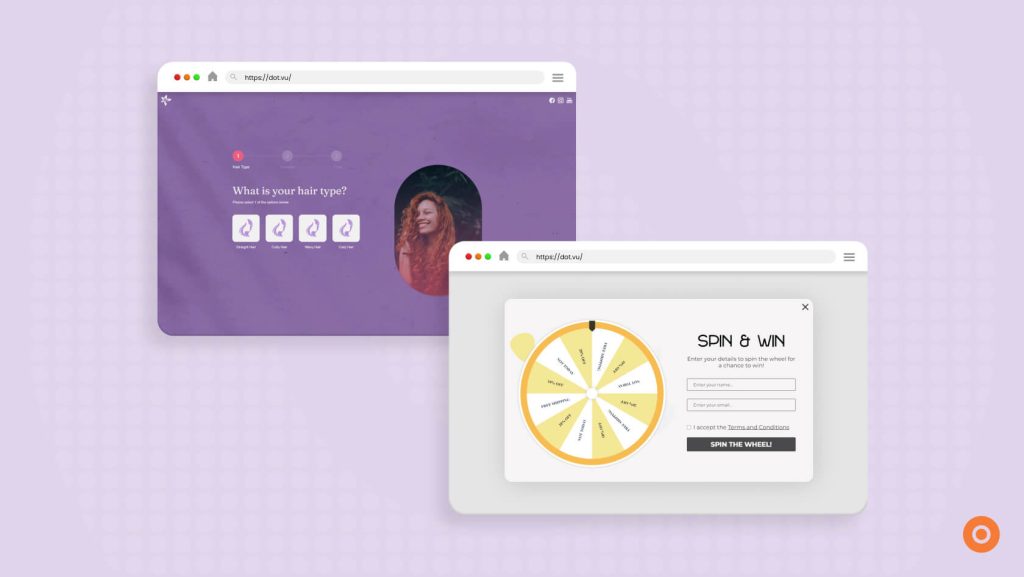
The topic caught their attention, but you still do not know why. One reader may be starting from nothing. Another may be replacing a campaign that went badly. A few questions inside an Interactive Experience can reveal that difference without asking the visitor to complete a long form.
Imagine adding three questions to the campaign-planning article. A visitor who has no campaign idea could receive examples for inspiration. Someone with the idea but no lead-capture plan could receive a checklist for that stage instead.
That is the important bit. The questions should change what the person gets.
If every answer ends at the same result, the quiz has not really recommended anything. You have only made the form longer.
When the visitor adds an email address, those answers can be saved with the contact. Instead of only seeing “downloaded guide,” your team can see the need they selected. This is zero-party data, meaning information the person deliberately gave to your business.
Quizzes are only one format. A buyer reading an Interactive Flipbook may go straight to the pages about their industry. In an Interactive Video, they can choose the product demonstration that answers their question. Either way, they control what they explore before deciding whether a sales conversation would help.
Want to build something around your audience’s needs? Learn how to create Interactive Content.
Ready to experiment with your own idea? Create a free account now and start building an Interactive Experience.
5. Make the form feel worth completing
You find a promising checklist, click the CTA, and get twelve required fields in return.
Name. Email. Phone number. Job title. Company size. Country. Budget. Timeline. And somehow, a question about how you heard about the company.
All for a two-page PDF.
Twelve fields for two pages? I would probably close it too.
The form should feel proportionate to the offer. Sending a guide rarely requires more than an email address. A quote is another matter. Project requirements and timing affect what your team can recommend, so asking for them has a clear purpose.
After submission, say exactly what happens. Perhaps the file opens on the next screen. Perhaps it arrives by email. If someone has requested a consultation, tell them when they are likely to hear from you.
A confirmation message takes seconds to add and saves the visitor from wondering whether the form worked.
Use the article itself to decide where the CTA belongs. A comparison checklist fits after the section on choosing criteria. In the middle of an unrelated point, it feels like an advertisement that interrupted the page.
Before publishing, borrow five minutes and test the whole thing on your phone. Submit the form. Wait for the email. Open the download. You will often spot something small, such as a cramped field or a confirmation link that fails on mobile.
6. Get the article in front of the right people
Publishing gives you a live page. It does not give you an audience. The right readers still need a way to find it.
Start with the channels they already use. If they search for answers, focus the article on those questions. If subscribers have clicked on similar topics, send it to them. On social media, share one useful point from the article. Give people something to discuss.
Change the introduction for each channel. Subscribers already know your brand. Search visitors may not. On paid social, you only have a few seconds to catch someone’s attention.
The ad and landing page should also match. If the ad promotes a comparison tool, take visitors directly to it. Do not make them search through a general article.
Then look beyond traffic. Are the visitors a good fit? Do they respond to the follow-up? Does sales want to speak with them? The answers will show whether the channel is reaching the right people.
Want more ideas? Explore these lead generation strategies for different stages of the buyer journey.
7. Follow the clue they gave you
The comparison checklist has barely reached the reader’s inbox when another email asks them to book a demo.
Maybe they are ready. More likely, they are still comparing.
Begin with the checklist they requested and keep the next message related to it. You could share how another company compared its options, followed later by a short setup video. A sales invitation makes more sense after the reader has shown interest in direct help.
Interactive Content can make this easier because people are telling you more than the title of the resource they downloaded. If they selected “reporting is my biggest challenge” in a quiz, you already have a useful clue about what to send next.
That answer should affect the next email.
Otherwise, why ask? A generic sequence makes those quiz answers little more than decoration.
When the lead is ready for sales, send the useful context with them. Which resource did they view? What did they choose in the quiz? Did they ask a question? The buyer will not have to repeat the whole journey, and the salesperson can open with something more relevant than, “So, what brings you here?”
Would you like prospects to keep learning before a sales call? Read how sales enablement content can give them the information they need.
How to measure content marketing lead generation?
Lead generation reports can get very busy. Traffic. Clicks. Form views. Submissions. Conversion rates.
All useful. I would still put one question above the rest: are these people the business can actually help?
Trace the route to the form
Start with completed submissions. Break them down by page and campaign. Then look at what happened before the form.
Is traffic steady but CTA clicks are low? Check whether the offer fits the article. Look at where the CTA appears too. Readers may not see it at the right moment.
If people click but leave at the form, focus there instead. Are you asking for too much information? Is the value of the offer clear?
Campaign tags show where each visit came from. This may be email, social media, advertising, or search. However, they do not always show the complete journey.
Someone may first find the article through search. Days later, they may return through an email. They could then complete the form from a product page.
Ask sales what happened next
The numbers stop at the point where the sales conversation begins.
Ask sales anyway.
Were the leads a good fit? What were they actually looking for? Did any topics bring in stronger conversations than others? Were people confused about something the content should have explained?
That feedback adds meaning to the totals. Twenty relevant inquiries may have more value than a hundred downloads from people sales cannot help.
Give the leads time to go somewhere
Two weeks into a campaign, the results may look disappointing. But if customers usually take three months to decide, many leads will still be researching.
A form submission is only the start. Look at what happens next. Did sales accept the lead? Or did a conversation begin? Did it become an opportunity or a customer?
Do the same for paid campaigns. A low cost per submission may look impressive. But are those leads right for the business? The cost per qualified lead will tell you more.
Check early results for signs of interest. Then return later to review lead quality and revenue. Give the leads enough time to progress before deciding whether the campaign worked.
Work on the weak point first
Find where people lose interest. Start there.
Are CTA clicks low? The offer may not fit the article. You could also move the CTA closer to the section it supports.
Are people opening the form but not submitting it? Check the number of fields. Make sure the value is clear too.
Perhaps downloads are high, but sales rejects most of the leads. In that case, review the topic and audience. You may be reaching people who want the resource but have no need for the product.
Choose the most likely problem. Change one thing and watch what happens.
One change is easier to assess than five. Look at sales feedback as well as the total number of leads. Ten relevant contacts may be worth more than one hundred that go nowhere.
Turn one useful article into a better lead journey
You can begin with one article rather than redesigning the entire content strategy.
Choose a page that already attracts suitable readers and follow its journey yourself. What question does it answer? What might you need immediately afterwards? Use that next question to shape a checklist, quiz, or short assessment.
Now open the email that follows. Does it pick up where the article ended, or behave as though the reader asked for a sales call?
That is really what content marketing lead generation comes down to. Creating a useful path from the first question to the next sensible step.
If Interactive Content fits that journey, Dot.vu’s AI Interactive Builder can create a starting version. Describe the quiz, form, or Interactive Experience you want.
Not sure what to ask it to build? See what you can create with an AI Interactive Builder.
Already have an idea? Start your free account today and turn it into an Interactive Experience